Android App Installation Safety Guide
For Android 8 (Oreo) and Later
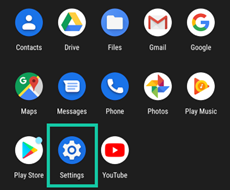
1. Open Settings on your device.
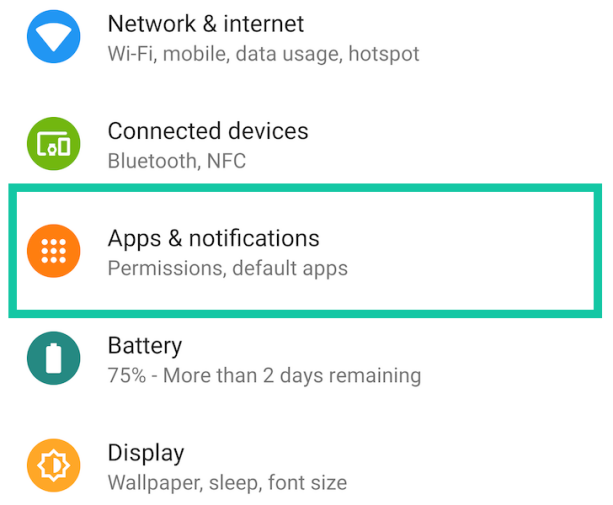
2. Go to Apps & Notifications .
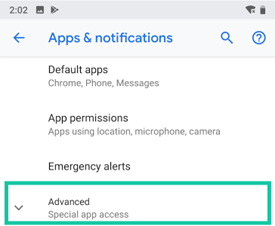
3. Tap Advanced.
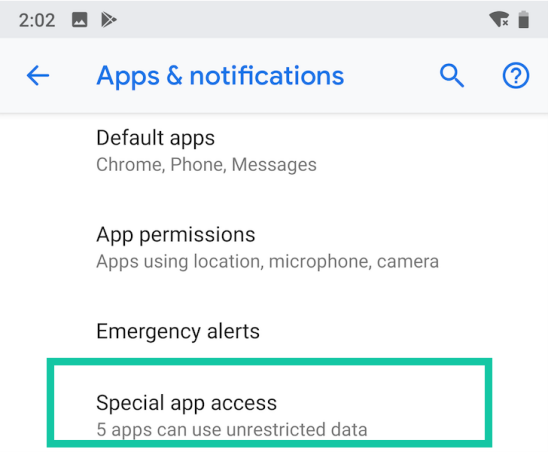
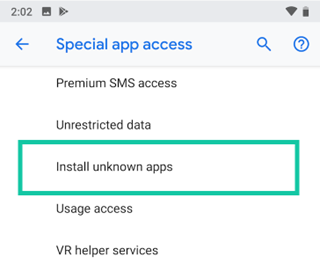
4. Select Special App Access .
5. Scroll until you find Install Unknown Apps .
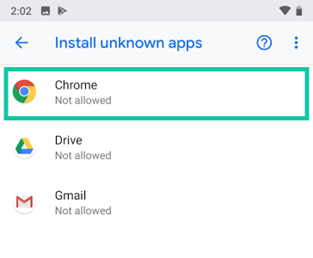
6. Choose your browser (for example, Chrome).
7. Enable the option Allow from this source .
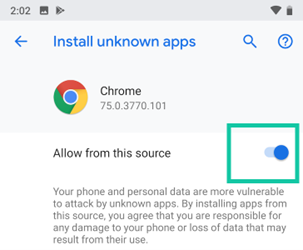
8. You can now install apps from the selected source. For safety, prefer official app stores or trusted developer websites.
For Android Versions Older Than 8.0
1. Go to the Settings menu and open Security .
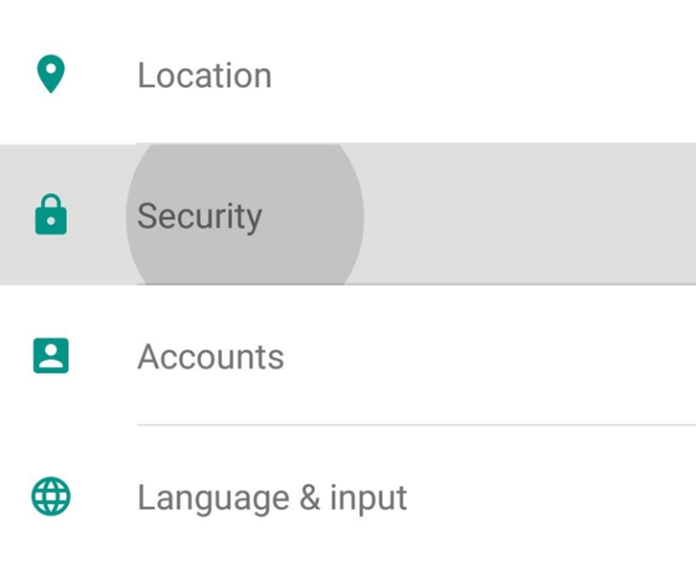
2. Turn on the Unknown Sources option found under Device Administration .
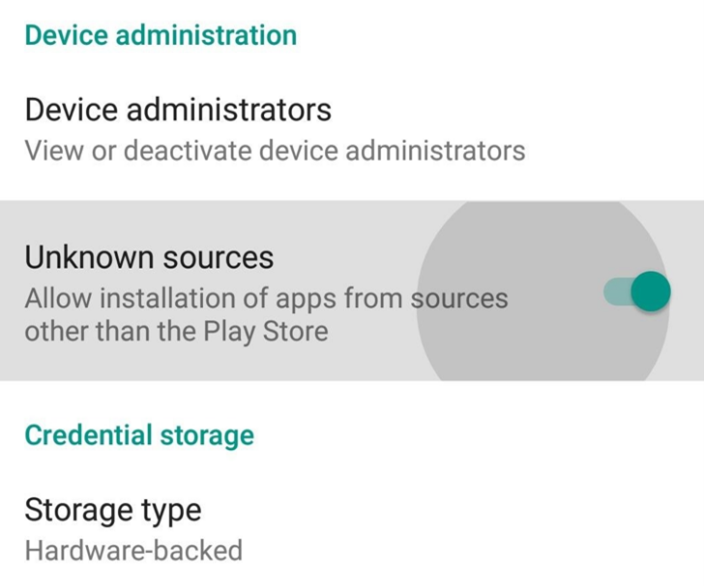
3. Then use your preferred browser or app store to access software from a source you trust.
Understanding Android App Files
An APK (Android Package Kit) is the file format used to install apps on Android devices.
It's similar to a ".exe" file on Windows—just tap the file to begin installation.
However, before you can install an APK successfully, you'll need to adjust your settings to allow apps from outside the Play Store.
Why Android May Ask About Unknown Sources
- Sometimes, developers release new APK versions before they appear on the Play Store, giving you early access to new features.
- Certain apps are unavailable in specific countries or regions—downloading the APK is the only way to use them.
- If your device doesn't support the Play Store, APK installation is your only alternative.
To complete the installation, remember to enable permissions for unknown sources, or your phone will block the process.